Here Is How To Turn Off Your Frigidaire Gallery Oven
Turning off your Frigidaire Gallery oven is simple once you know the right steps. This guide walks you through every method, from basic shutdown to handling tricky situations like control lock or self-clean cycles. You will learn how to safely power down your oven, troubleshoot common issues, and keep your kitchen safe. Whether you own a standard model or a smart Frigidaire Gallery range, this article covers it all. Read on to master your oven controls with confidence.
Your Frigidaire Gallery oven is a hardworking appliance in your kitchen. Whether you use it to bake cookies or roast a Sunday dinner, knowing how to properly turn off your oven matters. It is not just about hitting a button. There is a right way and a wrong way to shut down your Frigidaire Gallery range.
Many people assume all ovens work the same way. But Frigidaire Gallery models have unique control panels, safety features, and settings that can make shutdown tricky. Maybe your oven display stays on even after you think you turned it off. Or perhaps the self-clean cycle keeps running and you want to stop it. These are real problems real people face every day.
This guide will show you exactly how to turn off your Frigidaire Gallery oven in every situation. We will cover standard shut-off steps, what to do when the oven won’t power down, and how to use safety features like control lock and child lock. By the end, you will feel confident handling your oven like a pro. Let’s get started.
Key Takeaways
- Multiple shut-off methods: You can turn off your Frigidaire Gallery oven using the control panel, timer knob, or by pressing the Cancel button.
- Control Lock is a common culprit: If your oven won’t turn off, the Control Lock feature may be activated and preventing shutdown.
- Self-clean cycle needs special handling: You cannot simply turn off a self-clean cycle early without following specific safety steps.
- Safety first: Always let the oven cool before cleaning or performing any maintenance after turning it off.
- Child safety features help: Frigidaire Gallery ovens include child lock settings that can prevent accidental use by kids.
- Professional help may be needed: If basic steps don’t work, it could signal an electrical or control board issue requiring a technician.
📑 Table of Contents
- Understanding Your Frigidaire Gallery Oven Controls
- How To Turn Off Your Frigidaire Gallery Oven
- Common Reasons Your Frigidaire Gallery Oven Won’t Turn Off
- Safety Tips When Turning Off Your Oven
- Frigidaire Gallery Oven Maintenance Tips
- Comparison: Frigidaire Gallery Oven Models and Shut-Off Methods
- Quick Tips for Everyday Oven Use
- Conclusion
Understanding Your Frigidaire Gallery Oven Controls
Before you learn how to shut off your oven, you need to understand the controls. Every Frigidaire Gallery oven has a control panel with specific buttons and knobs. Knowing what each one does makes the shutdown process much easier.
The Control Panel Layout
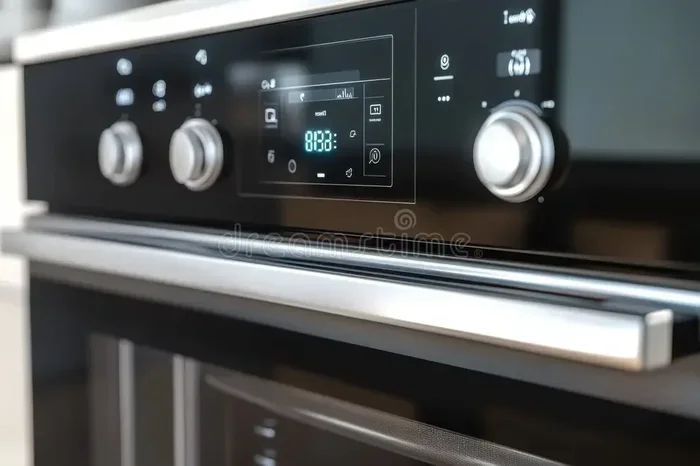
Most Frigidaire Gallery ovens feature a digital touchpad or a dial-and-button combo. The layout depends on your model year and type. Newer smart models have a full-color touchscreen. Older models use physical knobs and fewer buttons. Either way, the core functions stay the same.
Here are the main controls you will find on a Frigidaire Gallery range:
- Temperature dial or up/down buttons – These set your cooking heat level.
- Mode selector – This button lets you choose Bake, Broil, Convection, or Self-Clean.
- Start/Stop button – This begins or halts the cooking cycle.
- Cancel button – This clears the current setting and often powers the oven down.
- Timer controls – These set a countdown but do not always shut off the oven heat.
- Control Lock button – This locks the panel to prevent accidental button presses.
Understanding these controls is the first step to mastering your Frigidaire Gallery oven. When you know what each button does, you can troubleshoot shutdown issues faster. You will also feel more in control during everyday cooking.
What Each Button Does During Shutdown
Not every button works the same way when you want to turn off your oven. The Cancel button is your best friend here. Pressing it typically stops the current cooking mode and dims or turns off the display. The Start/Stop button can also halt the current cycle.
The Timer button is different. Setting a timer does not turn off the oven. The oven keeps heating even while the timer counts down. Many users get confused by this. They think the timer shut the oven off, but it did not. The oven is still on at the set temperature. Always double-check that the display shows no active cooking mode before walking away.
How To Turn Off Your Frigidaire Gallery Oven
Now let’s get into the step-by-step process. Turning off your Frigidaire Gallery oven is straightforward once you follow the right sequence. We will break it down by cooking mode so you can find exactly what you need.
Turning Off the Standard Bake Mode
Baking is the most common oven use. Here is how to shut it down properly:
- Open the oven door slightly to release some heat.
- Press the Cancel button on the control panel.
- Wait for the display to go dark or show a standby screen.
- Listen for a click or beep confirming the oven is off.
- If your model has a knob, turn it to the Off position.
That is it. Your Frigidaire Gallery oven is now powered down. The interior will still be warm for a while, which is completely normal. Do not touch the interior walls or racks right away. Let them cool to avoid burns.
Shutting Down the Convection Setting
Convection ovens use a fan to circulate hot air for even cooking. Turning off the convection on a Frigidaire Gallery oven follows the same basic steps:
- Press the Cancel button to stop the convection fan and heating element.
- Check the display. It should no longer show “Convection” or any active mode.
- If the fan keeps spinning, wait 30 seconds. It may continue briefly to cool down.
- Some models have a dedicated Convection button. Pressing it again can toggle the fan off.
Convection ovens retain more residual heat than standard ovens because of the fan. Give your Frigidaire Gallery convection oven a few extra minutes to cool before cleaning the interior.
Turning Off the Broil Function
Broiling uses direct high heat from the top element. It can be tricky to shut off because the broil element stays glowing red for a while even after turning it off. Here is what to do:
- Press the Cancel button on the control panel.
- The broil indicator light may stay on for a few minutes. This is normal.
- Do not open the oven door quickly. The burst of hot air can be intense.
- Keep the kitchen vent or fan running to clear smoke or odors.
- Once the display goes blank, the oven is off.
Many people worry when the broil element glows after shutdown. Frigidaire Gallery ovens are designed this way. The element is simply radiating stored heat. It will dim and eventually stop glowing as the oven cools.
Stopping the Self-Clean Cycle
The self-clean cycle is one of the most powerful features on your Frigidaire Gallery oven. But it also requires special care when you want to stop it early. The cycle heats the oven to extremely high temperatures, sometimes over 900 degrees Fahrenheit.
Here is how to safely turn off the self-clean cycle:
- Press and hold the Cancel button for 3 to 5 seconds.
- The oven door lock may take a few minutes to unlock.
- Do not try to open the door during the cleaning phase.
- Wait until the display shows “Door Unlocked” or the lock icon disappears.
- Once unlocked, open the door carefully. The interior will be extremely hot.
Never use water or spray cleaner on the oven during or right after a self-clean cycle. The extreme heat can cause steam burns or damage the interior coating. Always let your Frigidaire Gallery oven cool completely before wiping it down.
Common Reasons Your Frigidaire Gallery Oven Won’t Turn Off
Sometimes you follow the steps and the oven still does not shut off. This can be frustrating and even a little scary. Let us look at the most common reasons this happens and how to fix each one.
Control Lock Feature Is Activated
The Control Lock is a safety feature on Frigidaire Gallery ovens. It locks the control panel so buttons do not respond to accidental presses. If Control Lock is on, pressing Cancel or Start may do nothing.
Here is how to disable it:
- Press and hold the Control Lock button for 3 seconds.
- Look for a lock icon to disappear from the display.
- Try pressing Cancel again to shut off the oven.
If this does not work, try turning off the oven at the circuit breaker. Wait 30 seconds, then turn it back on. This resets the control board and usually clears the lock setting.
Stuck or Malfunctioning Knob
Older Frigidaire Gallery models use physical knobs instead of touchpads. Over time, grease and food spills can cause a knob to stick. The oven may continue running even when the knob is in the Off position.
Try these fixes:
- Gently wiggle the knob while pressing it inward.
- Clean around the knob with a damp cloth to remove grime.
- Turn the knob fully to the right and then to the left before setting it to Off.
- If the knob feels loose or broken, you may need to replace it.
A stuck knob is one of the most overlooked reasons a Frigidaire Gallery oven stays on. Check this first before assuming something more serious is wrong.
Electrical or Control Board Issues
In rare cases, a faulty control board or electrical problem keeps the oven running. Signs of a control board issue include:
- The display stays on even after you press Cancel and turn the knob off.
- The oven heats up randomly without any input.
- Buttons on the panel do not respond at all.
- The oven will not turn off even after you unplug it from the wall.
If you notice any of these signs, turn off the oven at the circuit breaker. Then contact a qualified Frigidaire technician. Do not try to open the control panel yourself. Working with oven electrical components can be dangerous.
Safety Tips When Turning Off Your Oven
Safety should always come first when dealing with kitchen appliances. Frigidaire Gallery ovens are built with safety in mind, but you still need to follow best practices. Here are essential tips to keep your kitchen safe.
Preventing Kitchen Accidents
- Always verify the oven is off before leaving the kitchen. Check the display screen.
- Keep flammable items away from the oven door and surrounding area.
- Use oven mitts when handling racks, pans, or the oven door.
- Never leave a self-clean cycle unattended. High temperatures can cause smoke or grease fires.
- Keep children and pets away from the oven while it is running or cooling down.
These simple habits prevent most kitchen accidents. A few seconds of caution can save you from burns, fires, or property damage.
Child Safety Features on Frigidaire Gallery Ovens
Many Frigidaire Gallery models include a child lock feature. This prevents little ones from accidentally turning on the oven or changing settings. Here is how to use it:
- Press and hold the Child Lock or Control Lock button for 3 to 5 seconds.
- A lock icon will appear on the display.
- The oven buttons will not respond until the lock is released.
- This feature also helps adults avoid accidental changes during cooking.
The child lock is especially helpful in busy households. When you turn off your Frigidaire Gallery oven, engaging the lock adds an extra layer of protection. Kids cannot accidentally restart the oven or change the temperature.
Frigidaire Gallery Oven Maintenance Tips
Proper maintenance keeps your Frigidaire Gallery oven running smoothly and safely. A well-maintained oven shuts off cleanly and heats evenly. Here are simple maintenance steps you can follow.
Cleaning After Each Use
After you turn off your oven and let it cool, take a few minutes to clean up:
- Wipe down the interior with a damp cloth to remove food splatters.
- Clean the oven racks with warm soapy water.
- Wipe the control panel with a dry or slightly damp cloth.
- Check the oven door seal for food debris or grease buildup.
Regular cleaning prevents grease fires and keeps your oven performing at its best. A clean Frigidaire Gallery range also looks and smells better every time you cook.
When to Call a Professional
Some oven issues are beyond DIY fixes. Call a professional technician if you notice any of the following:
- The oven will not turn off even after following all steps.
- You smell gas or notice a burning odor when the oven is off.
- The control panel displays error codes that do not clear after a reset.
- The oven temperature is significantly higher or lower than the setting.
- The door does not close properly or the lock mechanism fails.
Frigidaire offers customer support and authorized service centers. Always check your warranty before scheduling repairs. Many newer Frigidaire Gallery ovens come with a limited warranty that covers parts and labor for the first few years.
Comparison: Frigidaire Gallery Oven Models and Shut-Off Methods
Not all Frigidaire Gallery ovens work exactly the same way. Different models have different control layouts and features. Here is a comparison of popular models and how you turn them off:
| Model Type | Control Style | Shut-Off Method | Special Features |
|---|---|---|---|
| Classic Frigidaire Gallery Range | Dial + Touchpad | Press Cancel, turn dial to Off | Standard Bake, Broil, Self-Clean |
| Frigidaire Gallery Smart Oven | Full Touchscreen | Tap Cancel, then Power Off | Wi-Fi enabled, app control, voice commands |
| Frigidaire Gallery Double Oven | Dual Touchpads | Press Cancel on each oven separately | Two independent cooking zones |
| Frigidaire Gallery Slide-In Range | Knobs + Digital Display | Turn knob to Off, press Cancel | Built-in temperature probe, convection |
No matter which model you own, the basic shutdown principle stays the same. Press Cancel, verify the display is off, and confirm the oven is not heating. Always refer to your specific model’s Frigidaire user manual for detailed instructions.
Quick Tips for Everyday Oven Use
Here are some bonus tips that make using your Frigidaire Gallery oven easier and safer every single day:
- Preheat with purpose. Only preheat when the recipe requires it. This saves energy and reduces wear on the heating elements.
- Use the convection setting wisely. Convection cooks faster, so reduce the temperature by 25 degrees Fahrenheit for best results.
- Set a kitchen timer. Even if your oven has a built-in timer, use a separate timer on your phone or a kitchen timer. This keeps you alert and aware.
- Never use aluminum foil on the oven floor. It can block airflow and cause overheating, making it harder to turn off the oven safely.
- Keep the manual handy. Store your Frigidaire Gallery oven manual in a kitchen drawer. You never know when you will need to look up a specific function.
These small habits add up over time. They protect your oven, your food, and most importantly, your family.
Conclusion
Turning off your Frigidaire Gallery oven is something you do every day, but doing it the right way makes a big difference. Whether you are using a simple Bake mode, a powerful Broil setting, or the Self-Clean cycle, the steps are clear and easy to follow. Always press Cancel, verify the display is off, and listen for any confirmation beeps.
If your oven does not shut off, check the Control Lock and self-clean settings first. These are the most common culprits. Keep your oven clean and well-maintained, and it will serve you reliably for years. Safety should always be your top priority in the kitchen. Take a few extra seconds to confirm everything is off before you walk away.
Now you have the knowledge and confidence to handle any Frigidaire Gallery oven shutdown situation. Share this guide with family members who cook in your kitchen. Everyone benefits from knowing how to safely and properly turn off the oven. Happy cooking, and stay safe.
Frequently Asked Questions
How do I turn off my Frigidaire Gallery oven after baking?
Simply press the Cancel button on the control panel and wait for the display to go dark. If your model has a knob, turn it to the Off position. The oven is fully off when no cooking mode is showing on the display and the interior light turns off.
Why does my Frigidaire Gallery oven stay on after I press Cancel?
This usually happens when the Control Lock feature is activated. Press and hold the Control Lock button for 3 seconds to disable it. If the oven still stays on, try turning it off at the circuit breaker and then back on to reset the control board.
Can I turn off the self-clean cycle early on a Frigidaire Gallery oven?
Yes, you can. Press and hold the Cancel button for 3 to 5 seconds to stop the cycle. The oven door lock will take a few minutes to unlock. Do not try to open the door until the lock releases. Let the oven cool completely before cleaning the interior.
Is it safe to leave my Frigidaire Gallery oven on overnight?
It is not recommended. Even though modern Frigidaire Gallery ovens have safety features, leaving any oven unattended for long periods increases the risk of fire or carbon monoxide exposure. Always turn off your oven before going to bed or leaving the house.
What should I do if the oven knob feels stuck and the oven won’t turn off?
Try cleaning around the knob with a damp cloth to remove grease or food residue. Gently wiggle the knob while pressing it inward. If the knob is loose or broken, you may need to replace it. Contact Frigidaire customer support or a qualified technician for assistance with knob replacement.
How do I use the child lock feature on my Frigidaire Gallery oven?
Press and hold the Child Lock or Control Lock button for 3 to 5 seconds until a lock icon appears on the display. This prevents buttons from responding to accidental presses. To unlock, press and hold the same button for 3 to 5 seconds again until the lock icon disappears.
=== CONCLUSION ===
Knowing how to turn off your Frigidaire Gallery oven is a basic kitchen skill that everyone should master. From standard bake mode to self-clean cycles, this guide has covered every shutdown scenario you might face. Remember to always verify the oven is off, use the Control Lock and Child Lock features wisely, and keep your appliance clean and well-maintained. If problems persist, do not hesitate to contact a professional technician. Stay safe in your kitchen and enjoy cooking with confidence.